Dqq
features-hero
Permissions & Staff Management

Every employee knows their role exactly

Create custom roles, auto-assign orders, and control app & dashboard permissions separately.

How did permissions organize your team?

Every employee used to see and access everything — now each one has exactly what they need.

What's the problem?

All employees have the same permissions

How did we solve it?
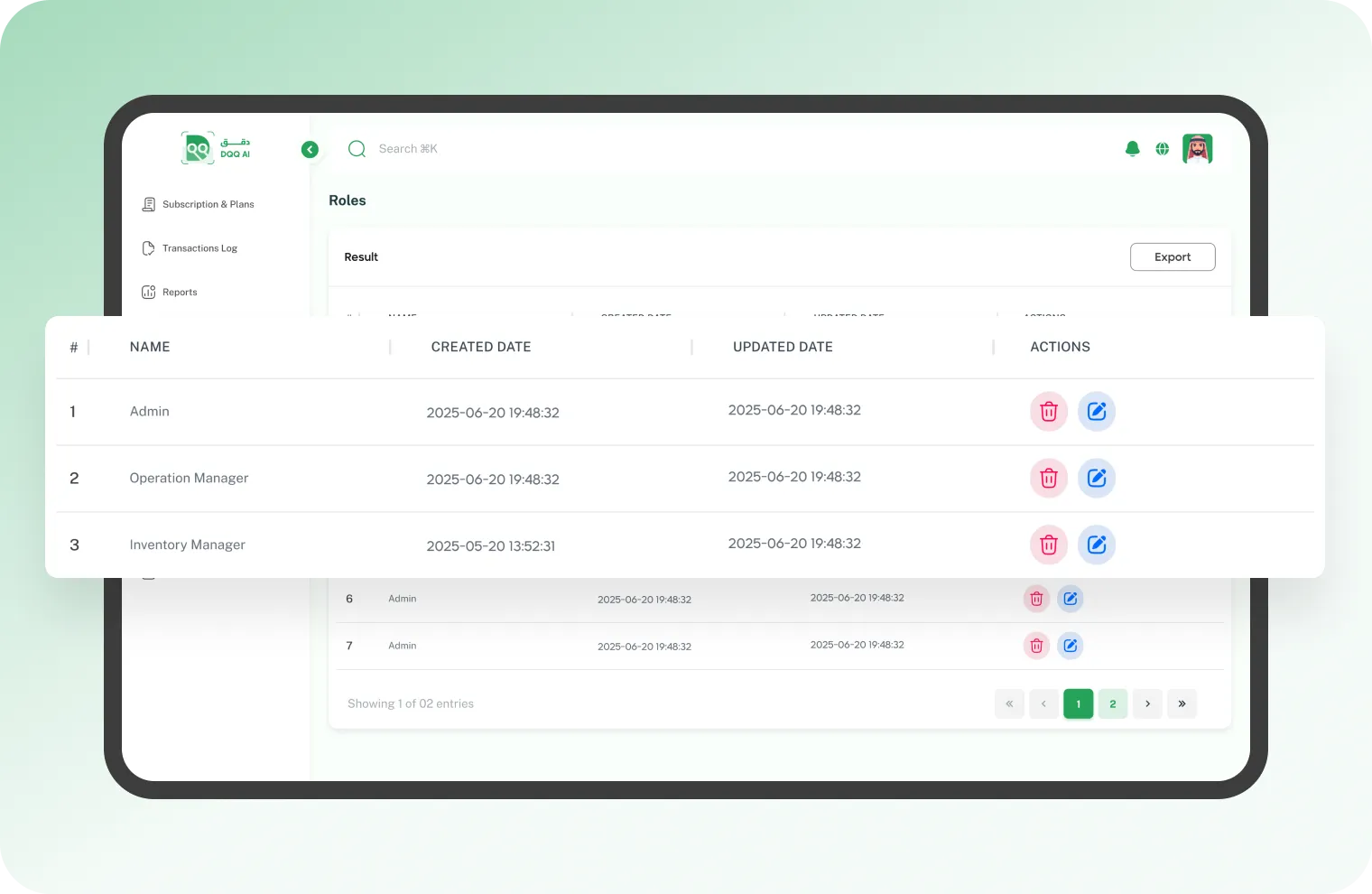
Custom roles with precise permissions
Create ready-made or custom roles — warehouse manager, picker, packer — and define what each role can view, edit, and delete in every section independently.
permissions-1
permissions-2

What's the problem?

Orders pile up and no one knows who's responsible

How did we solve it?

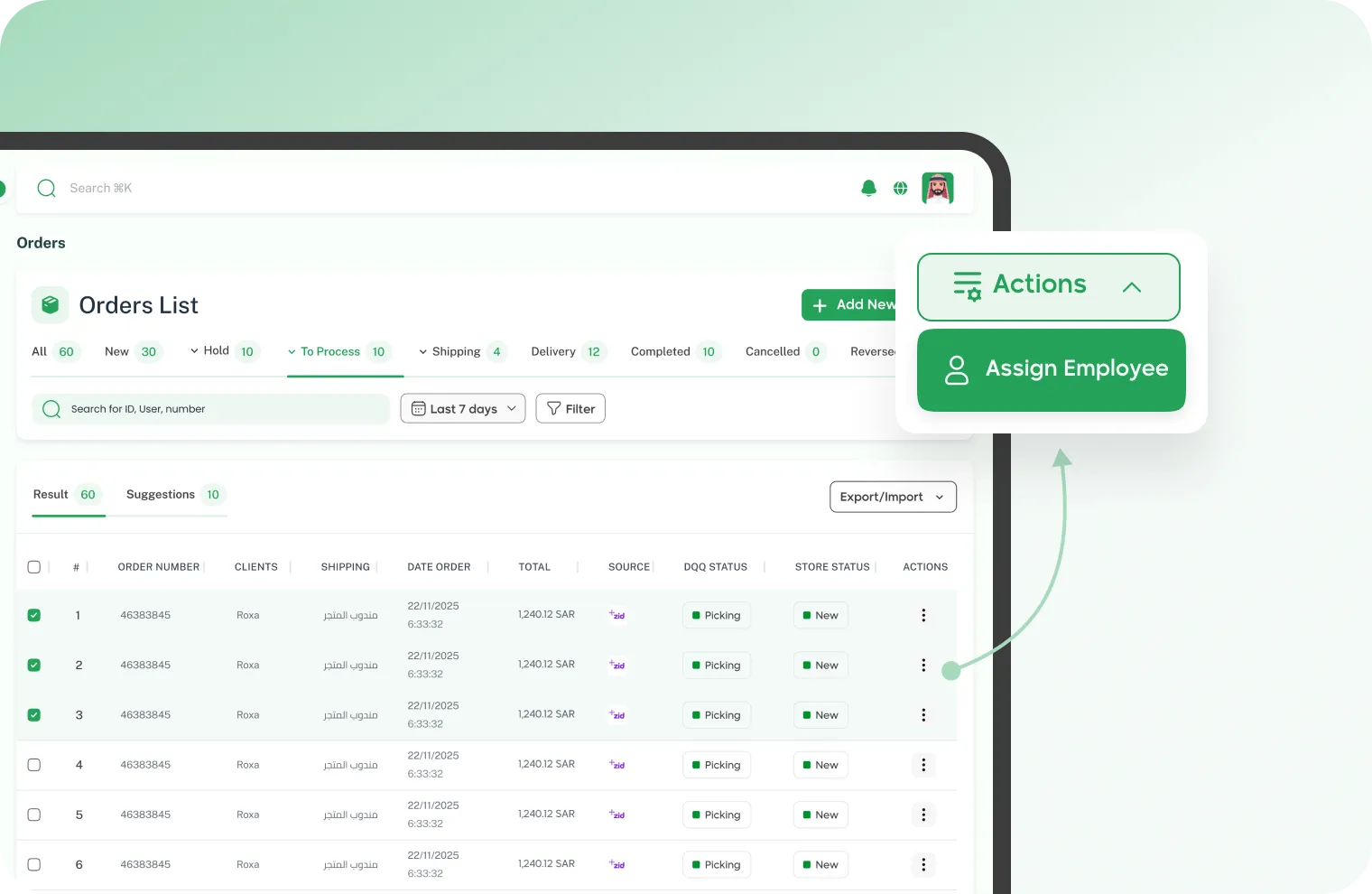
Smart order assignment
Auto-distribute orders with rules you set — by warehouse, shipping carrier, or city — or manually assign to a specific employee. Every order reaches the right person without coordination.

What's the problem?

Warehouse staff sees the dashboard and the manager sees the app

How did we solve it?
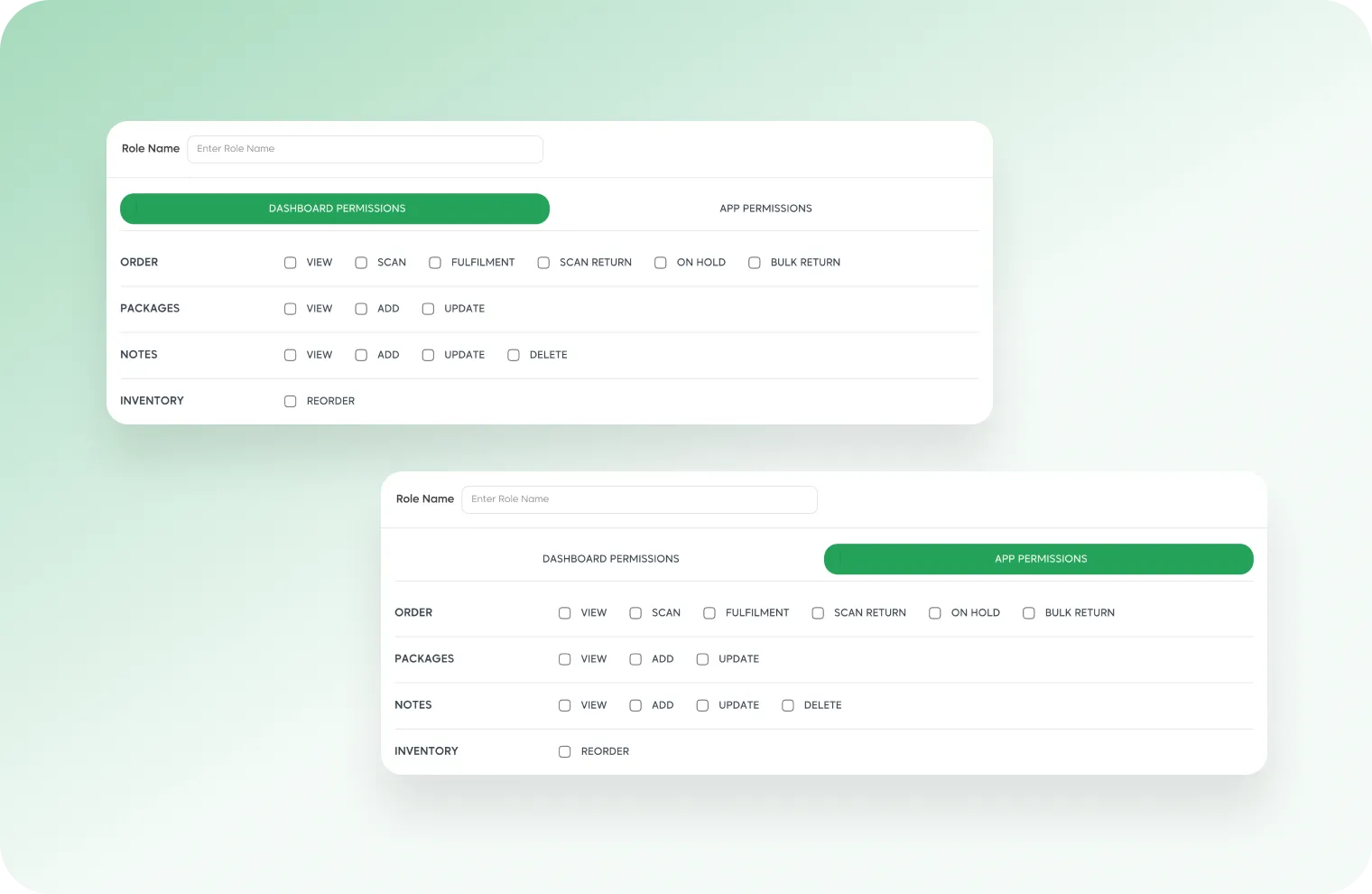
Separate permissions per platform
Full control over app and dashboard permissions independently. Define who accesses what and what they can do on each platform based on their role.
permissions-3
permissions-4

What's the problem?

No clear structure — who reports to whom?

How did we solve it?

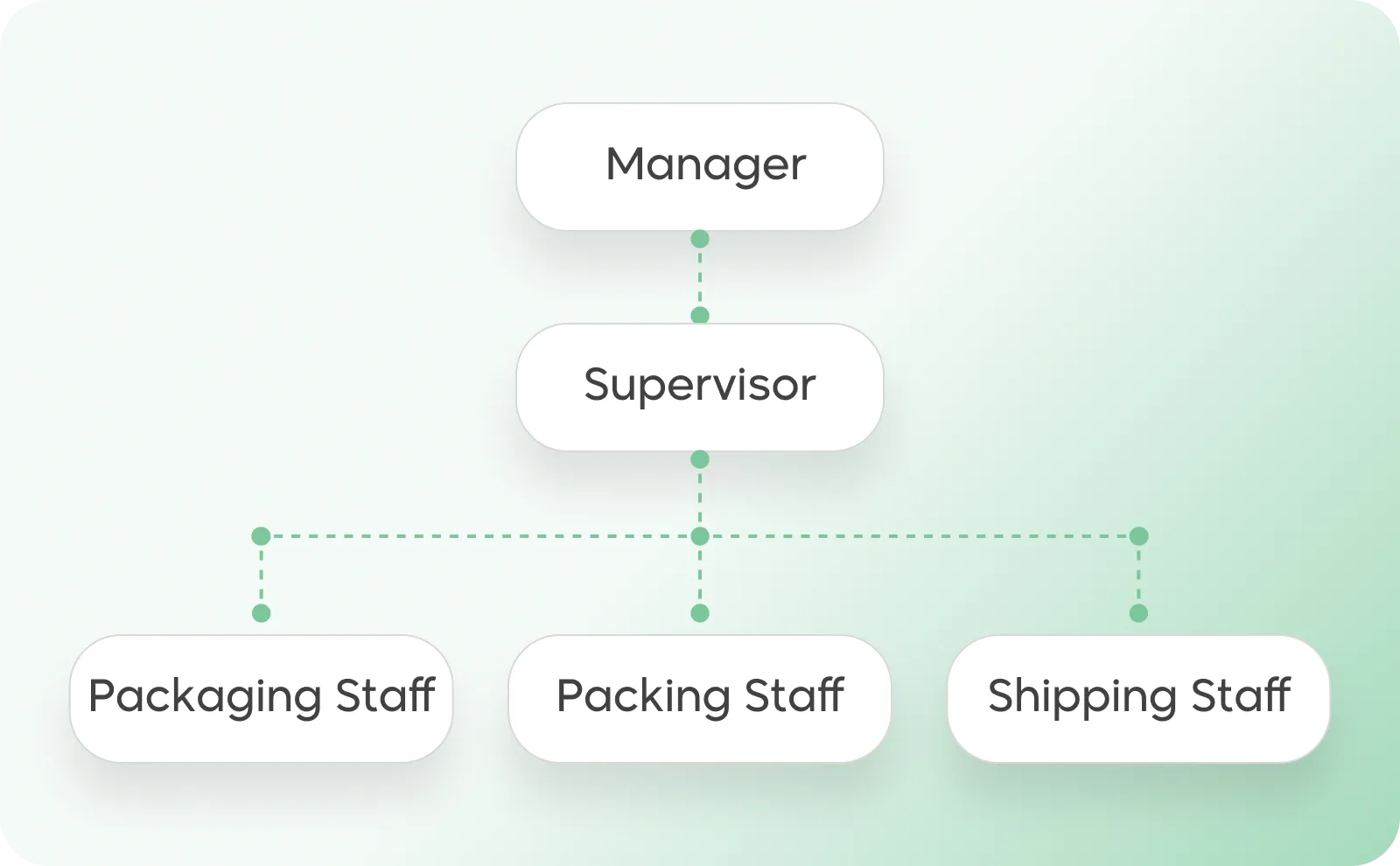
Clear role hierarchy
Map your team structure with a clear hierarchy — from warehouse manager to supervisor to picker and packer. Each level sees what's below them, and the manager sees the full picture.

Your team is organized and every employee knows their role

Set permissions, assign tasks, and let everyone work in the right place.

Join Dqq

All rights reserved for DQQ Platform © 2023