
Move Stock Between Warehouses, Fully Tracked
Create, prepare, ship, and receive — every step documented and tracked automatically.
Everything You Need to Transfer Products
Create the transfer, prepare it from locations, track its status in real-time, and receive quantities by scanning and inspection — without losing a single item.
-
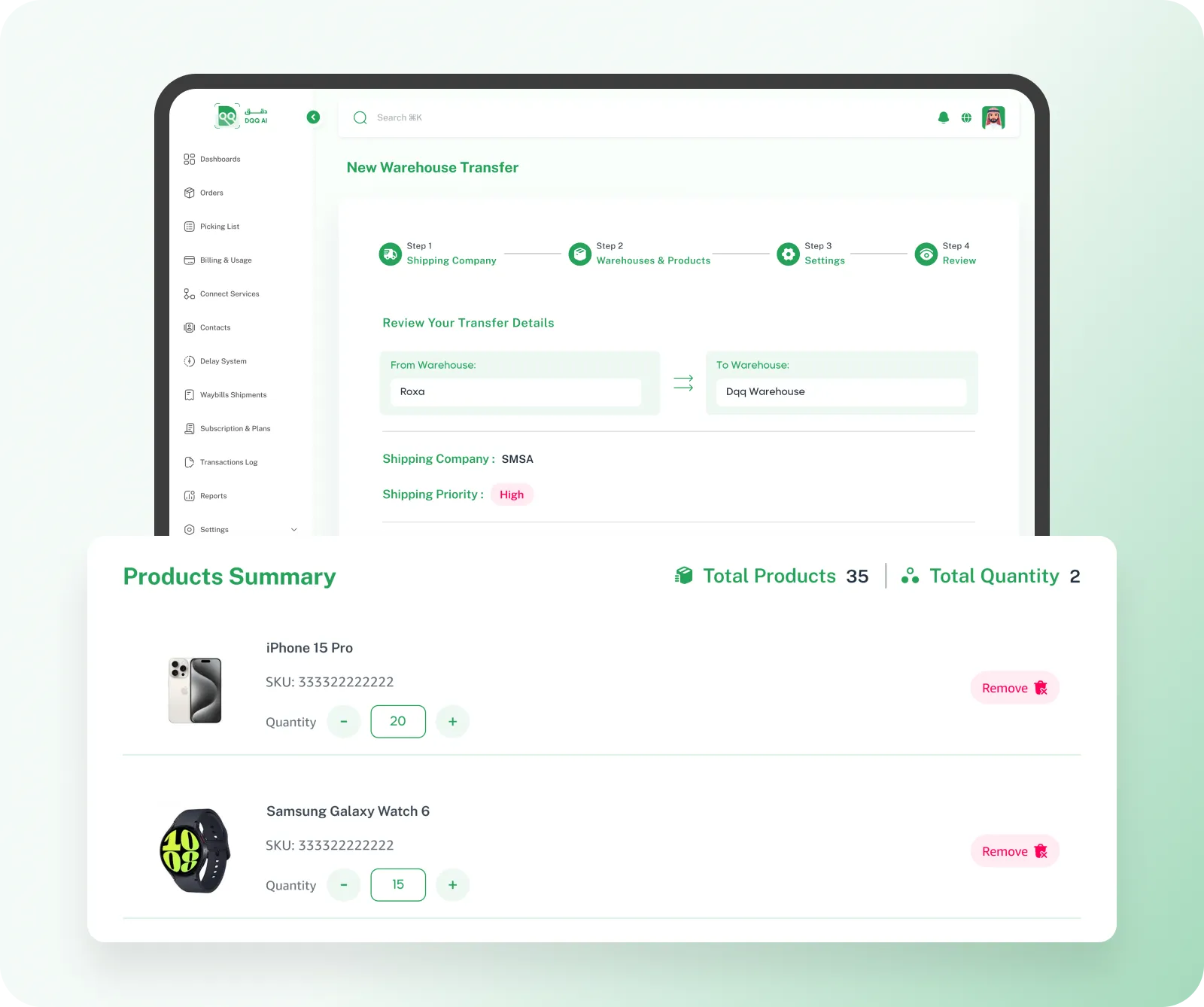
Choose Shipping Company
Select the right shipping company for your transfer
-
Set Source & Destination Warehouse
Choose which warehouse the goods leave from and where they arrive in one step
-
Quantities per Product
Set the required quantity for each product with real-time availability
-
Priority & Notes
Classify the transfer by importance — low, medium, high, or very high — with notes
-
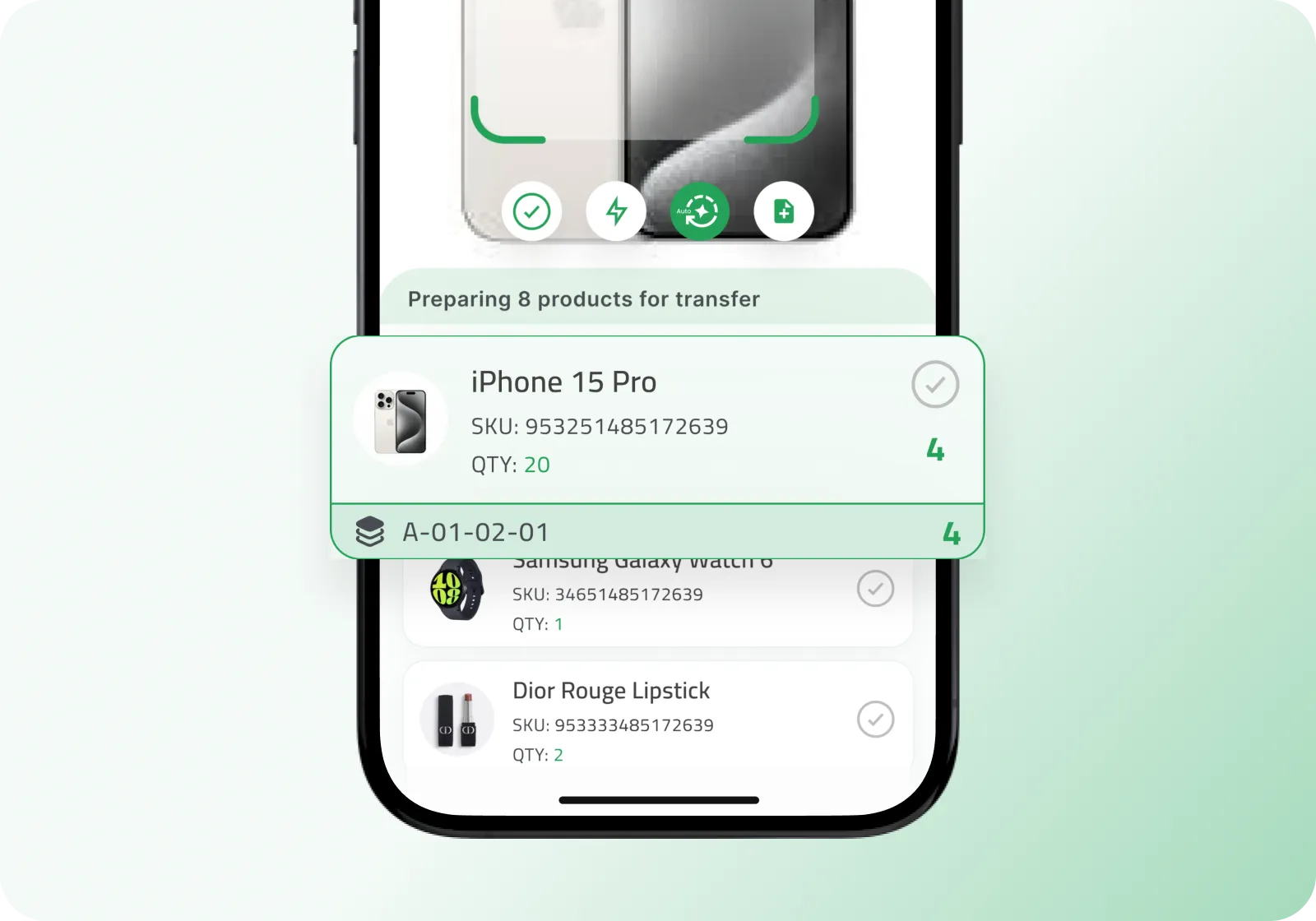
Auto-Assign to Employee
The system assigns the right employee — the order goes straight to their phone
-
Product Locations on the App
Each product shows its exact location — section, aisle, shelf — the employee knows where to go
-
Pick & Collect
Full log — know who picked, which order, and when
-
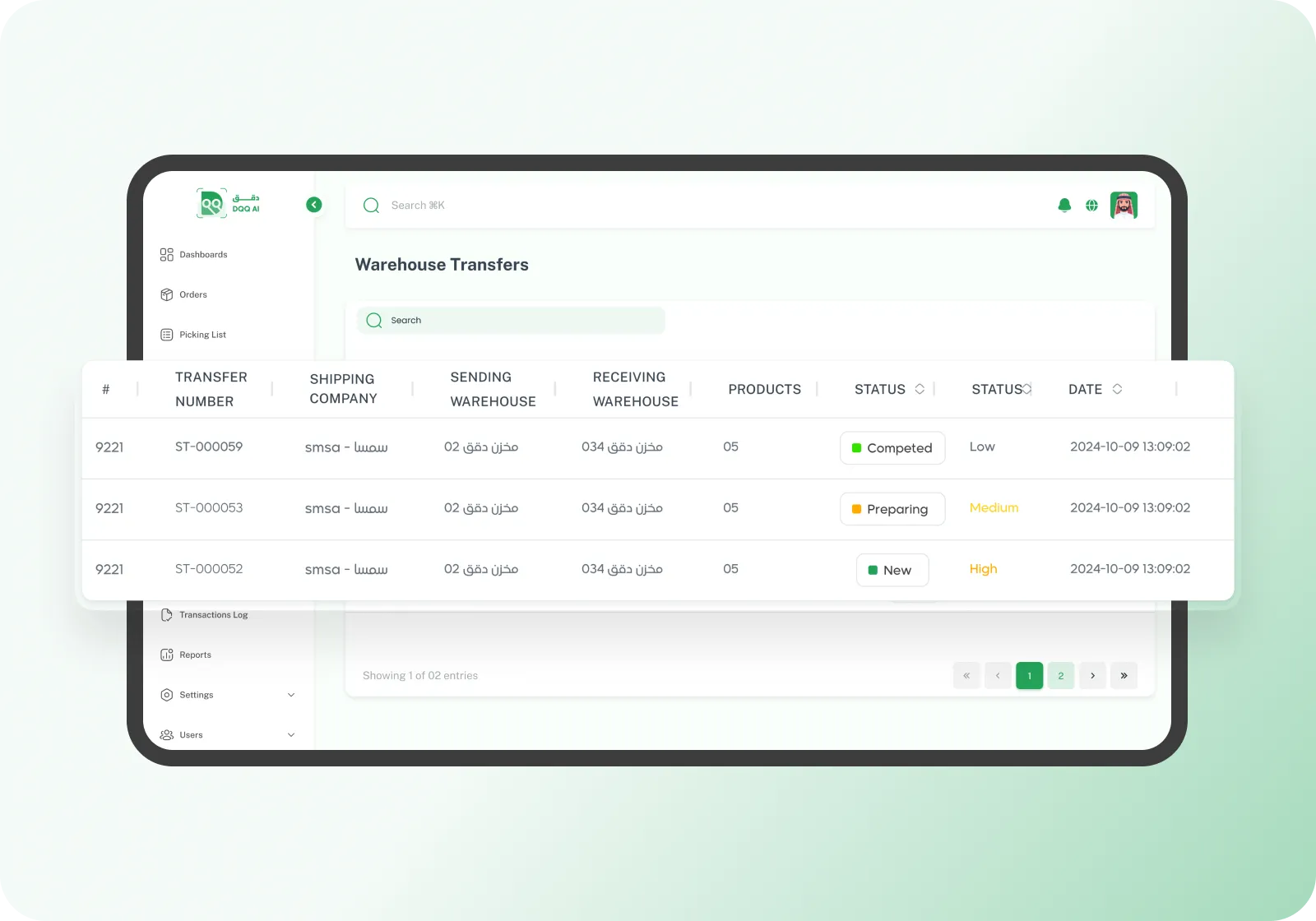
5 Clear Statuses
Clear statuses to monitor and track the transfer step by step
-
Real-Time Updates
The status changes instantly with every action — from preparation to shipping to receiving
-
Filter & Search by Status
Filter transfers by warehouse, status, date, or priority
-
Receive via the App
The employee scans products and records received quantities directly from their phone
-
Temporary Inspection Location
Quantities go to a temporary location first for review and verification before final storage
-
Transfer to Final Locations
After inspection, move products to their designated warehouse locations — section, aisle, shelf
-
Automatic Inventory Increase
The moment of receiving, quantities are added to inventory automatically — no manual adjustment needed
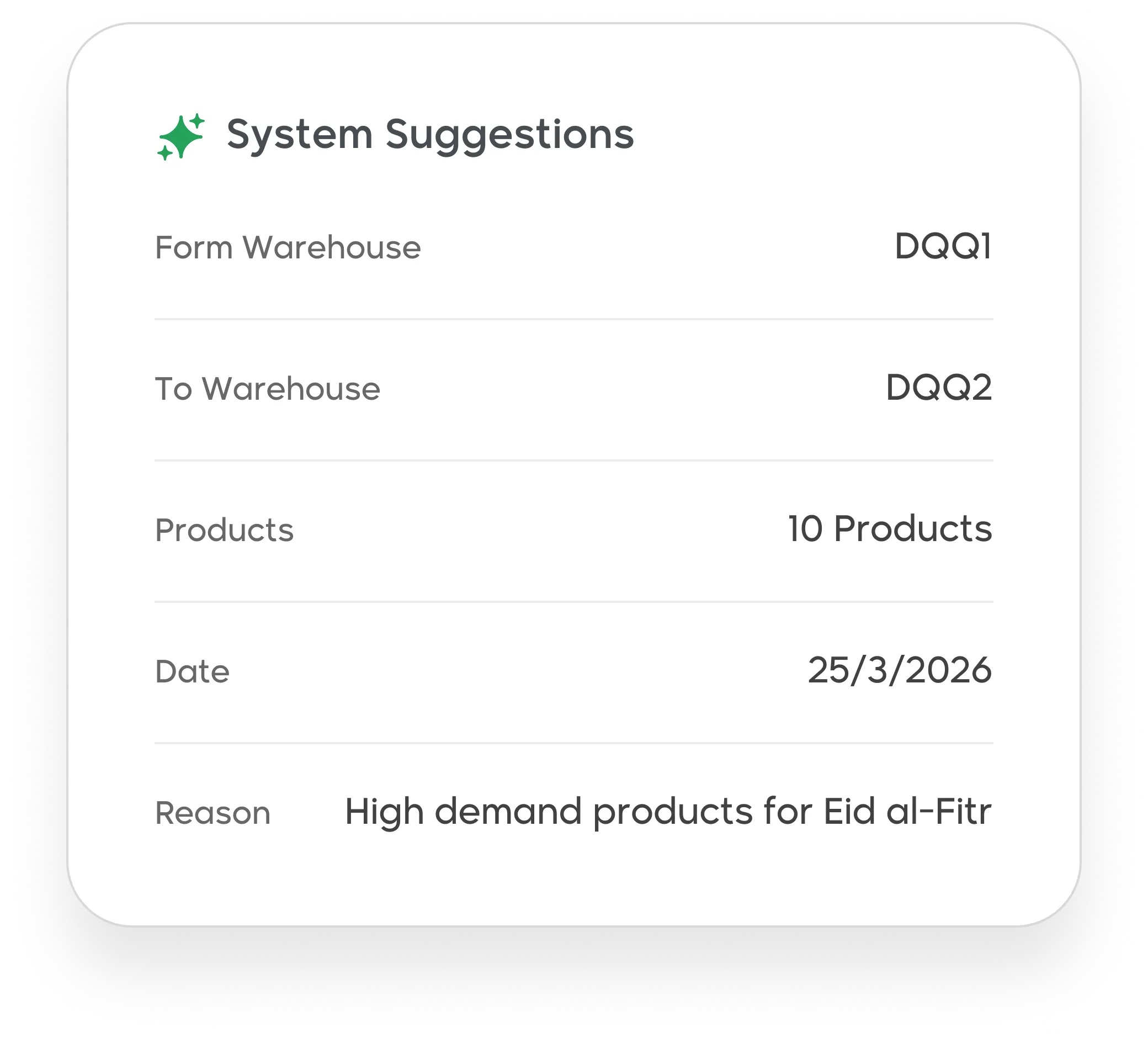
Dqq Predicts Transfers Before You Need Them
Based on transfer history, order movement, and inventory distribution, the system suggests transfers between warehouses with quantities and dates — driven by seasons or special occasions.
Ready to Transfer Products Between Your Warehouses?
Full documentation, real-time tracking, and organized receiving — everything from one place.
Join Dqq