
Assigned orders, organized rounds, and clear details.
Assign orders to your staff, group shipments into clear delivery rounds, with every customer detail the courier needs.
Delivery & Courier Management
From assignment to delivery, every step is clear.
Customer details at hand
The customer’s name, address, and contact number appear with the shipment at delivery time.
Assign orders clearly
Every order has a specific employee, and every courier knows their responsibilities.
Organize delivery rounds
Group shipments and arrange their stops in one clear round.
Track every attempt
Know the number of attempts, their outcome, and why delivery failed.
Many orders. One organized round.
Group shipments into a round, and see delivery stops and their details clearly.
-
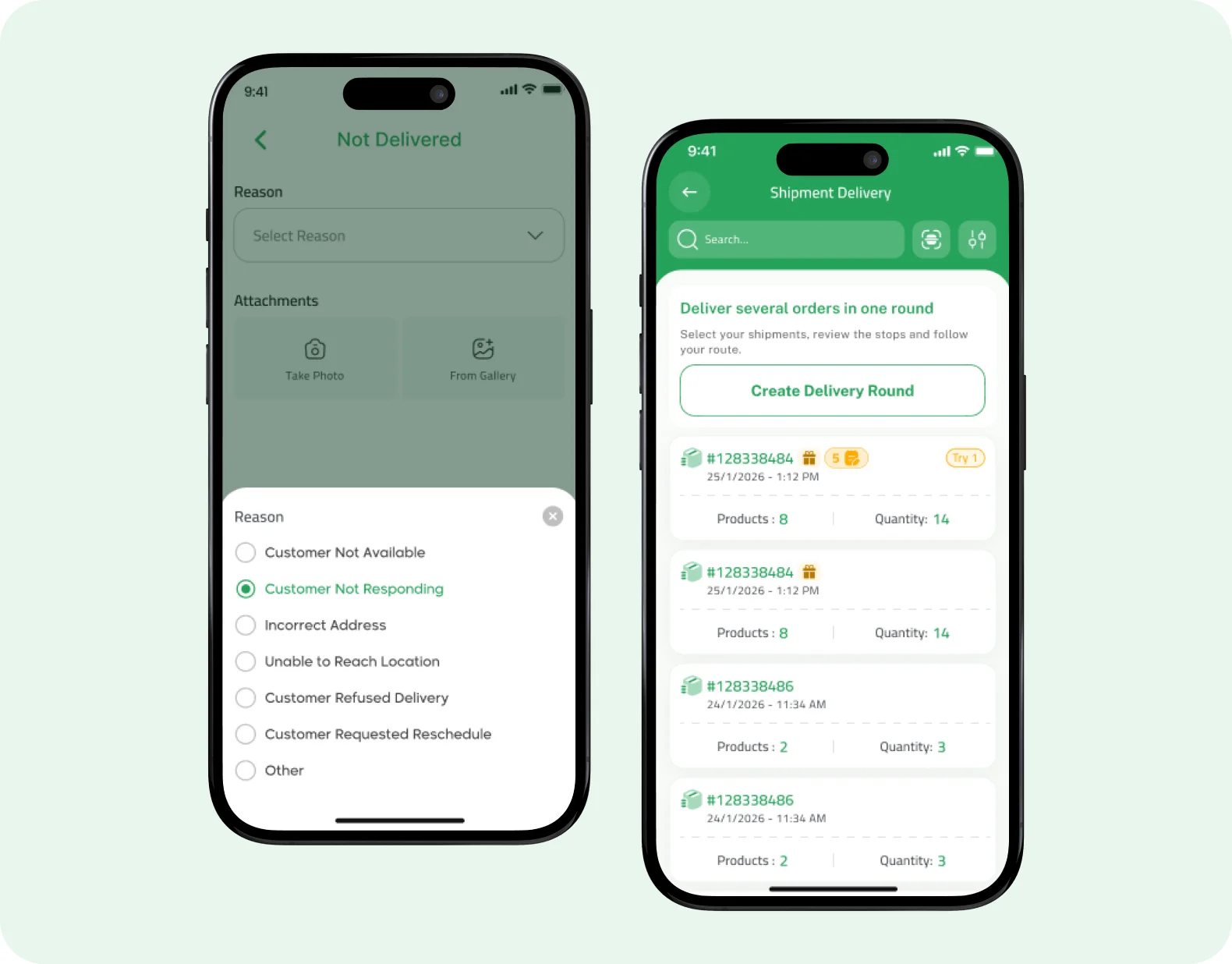
Choose the round’s shipments
Select the shipments to deliver and group them into one round instead of jumping between orders.
-
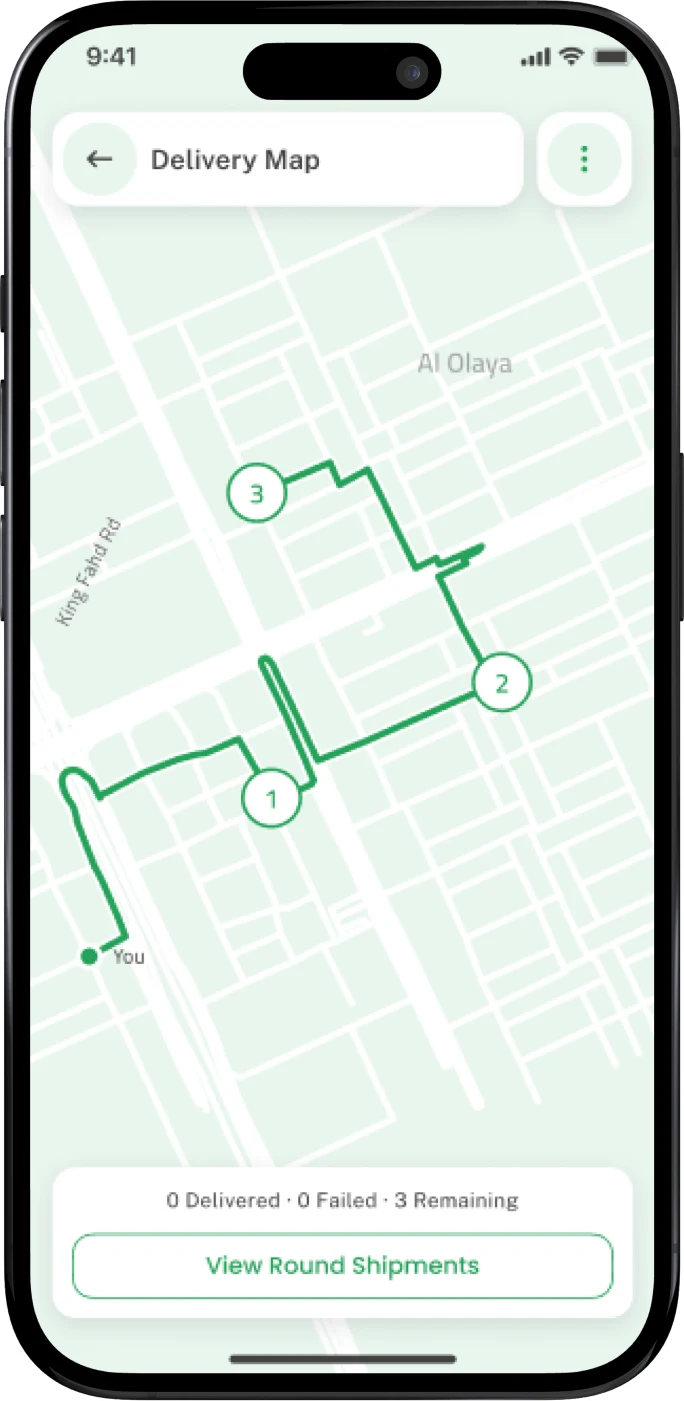
See stops on the map
Every stop shows in its place. Open it to review the shipment details before arriving.
-
Adjust the round as needed
Review and edit the shipments in the round so it always matches what you’re delivering.
-
Know where you are
Track what has been delivered, what couldn’t be delivered, and what’s left in the round.
Courier delivery features
Tools that cover the shipment’s journey, from the dashboard to the customer’s door.
Order Assignment
-
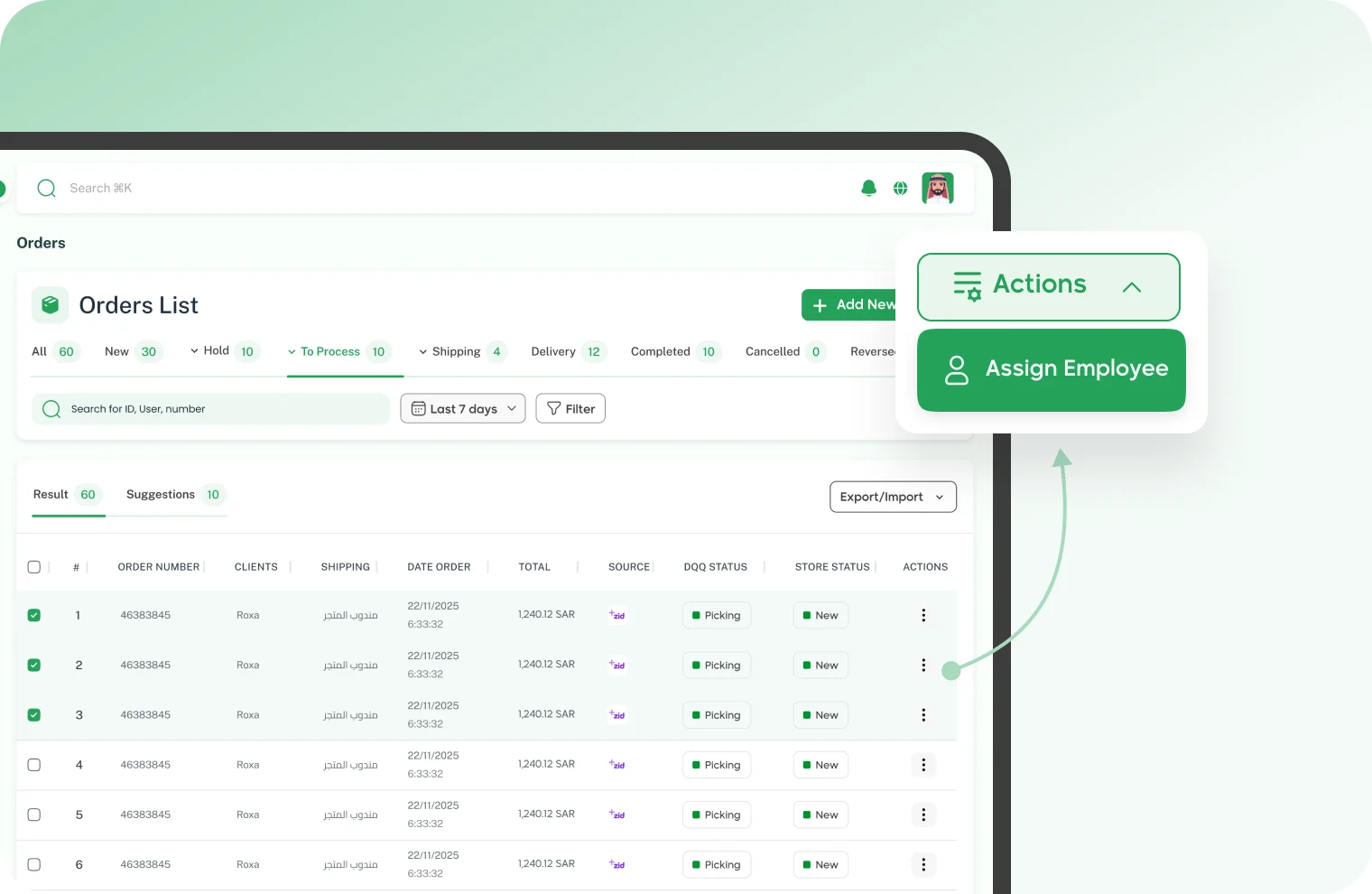
Pick the courier yourself
Assign the order to a specific employee, so they know exactly what to deliver.
-
Or let assignment run automatically
Set automation conditions, and matching orders are assigned to the employee automatically.
Customer Details
-
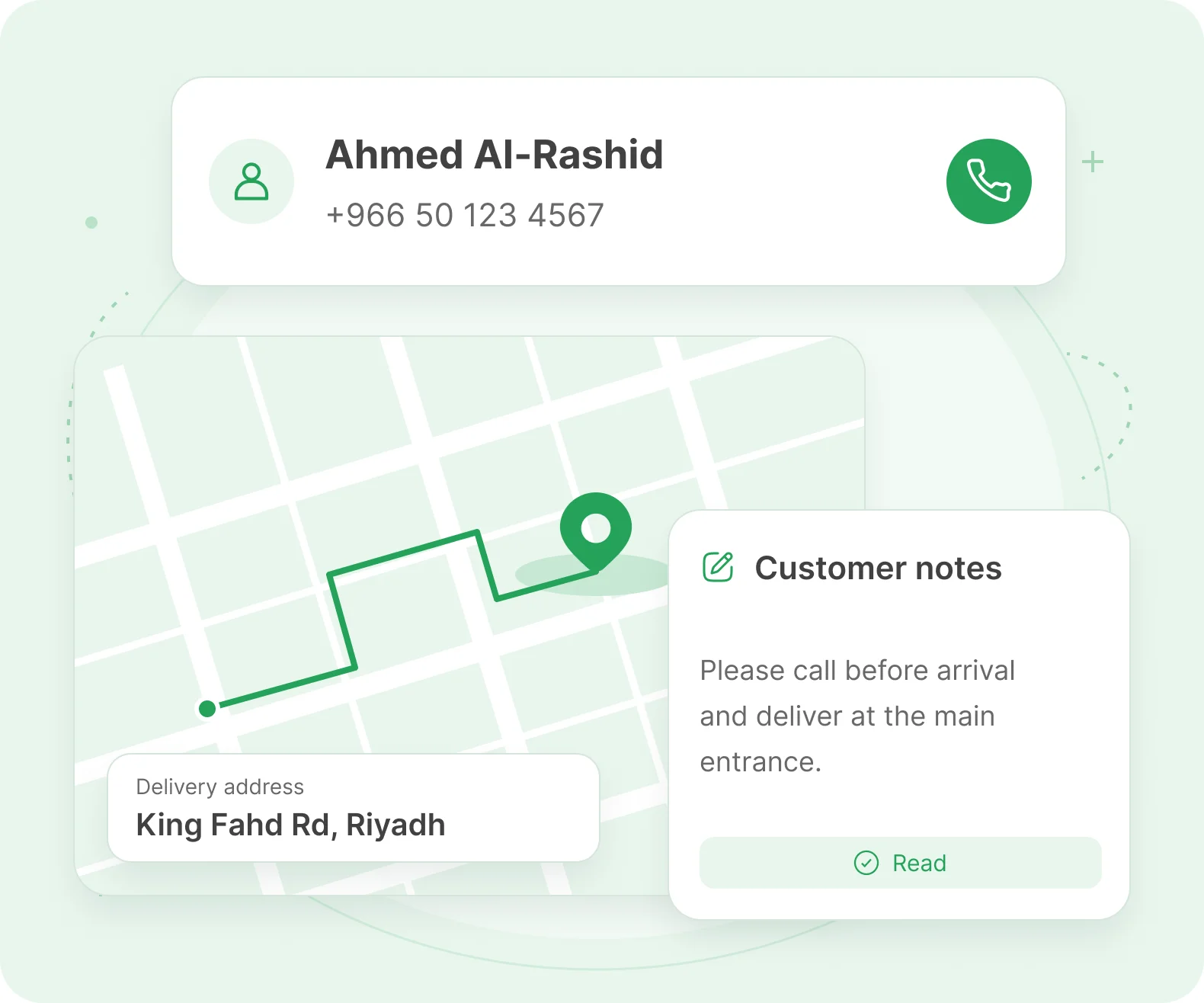
Customer notes
The customer’s notes come with the order, to check before delivery.
-
The customer in front of you. Easier contact.
Customer details appear with the shipment, from name and address to contact number.
-
Address changed? Keep it updated.
Edit the order address if the customer changes it, so the correct delivery location is clear to the team.
Delivery Attempts
-
Attempt count at a glance
Review the number of delivery attempts per shipment, to know what needs follow-up.
-
A clear failure reason
Customer not answering? Wrong address? Record why it wasn’t delivered and attach supporting proof.
-
Document the moment of delivery
Add delivery notes and a proof photo, so the outcome stays clear to your team.
Start organizing your deliveries from one place.
Assign orders to your staff, organize delivery rounds, and track the outcome of every attempt from one place.
Join Dqq